
BingX Review
Editorial record: June 1, 2026
Trading Fees
0.1% / 0.1%
Cryptocurrencies
700+
Founded
2018
Source status
Sources linked
No provider on this page operates or endorses InsideCryptoReview. Some links are affiliate links. We can earn a commission if you use them. A provider cannot approve or change editorial copy before publication. Read our editorial policy.
Risk Disclaimer
Cryptocurrency trading and investing involve a substantial risk of loss. Prices can change significantly in a short period, and you can lose some or all of your invested capital. This page gives information and does not give financial, investment, or legal advice. Check current provider terms and assess your risk before you make a financial decision. InsideCryptoReview can earn a commission from an affiliate link. A provider cannot approve or change our editorial copy. Past performance does not guarantee future results. Invest only an amount that you can afford to lose.
Editorial desk producing public-source crypto product research. Pages identify their evidence and limitations; hands-on testing is claimed only when dated evidence is shown.
Last Updated: June 1, 2026
Editorial MethodBingX is a crypto exchange with copy trading, spot markets, futures, grid bots, and earn products. Its account protections, fees, and regional access require separate checks.
BingX was founded in 2018. Copy trading was an early product. The platform has since added spot markets, futures, grid bots, and earn products.
How BingX Copy Trading Actually Performs
Compare BingX and Bitget execution with current trading data. BingX lists traders by ROI, win rate, maximum drawdown, follower count, and AUM. Review both gains and drawdowns before you copy a trader.
You allocate capital to follow a specific trader. A 5% SOL position can copy at the same proportion of your allocation. Set stop-loss limits, daily caps, and maximum position sizes. Diversification does not remove copy-trading risk.
The profit-sharing model charges elite traders 8-10% of your gains. No profit, no fee. Compare that to a traditional hedge fund taking 2% management fee annually plus 20% of profits. The alignment is reasonable.
BingX Fees: Where They Stand in 2026
Spot trading lists 0.1% maker and taker fees. BingX lists 0.02% maker and 0.05% taker futures fees. Compare the current schedule, execution price, and copy-trading costs before you trade.
Volume discounts kick in at $100,000 monthly. At VIP 1, fees drop to 0.08% on spot. Withdrawal costs are average to slightly high. BTC at 0.0005 matches Bybit. ETH at 0.006 is above what Binance charges. USDT on TRC20 costs 1 USDT, standard across the industry.
700+ Coins, but Not Trying to Be MEXC
BingX lists over 700 cryptocurrencies across 1,000+ pairs. That covers every major coin, most mid-caps, and a growing number of trending tokens. MEXC lists 2,300+. The difference is intentional. BingX focuses on coins with sufficient liquidity to support copy trading at scale. If a token trades $50,000 daily volume, it cannot support thousands of copy followers executing simultaneously without destroying the price. That filtering actually protects you.
For spot and futures on BTC, ETH, SOL, XRP, AVAX, and the top 100 coins, liquidity is fine. Slippage on orders under $5,000 on major pairs is minimal at standard market depth. On smaller altcoins (outside the top 200), order book depth gets thin. That is common across all mid-tier exchanges.
The Grid Trading Bot
A BTC/USDT grid bot can suit a range-bound market. Set an upper price, lower price, grid count, and total allocation. The bot buys at lower grid levels and sells at higher levels.
Grid-bot returns depend on the selected range, fees, market movement, and execution. BingX also offers suggested parameters based on recent volatility. Review the settings and risk disclosure before you run a bot.
VST Demo Trading: Underrated Feature
BingX calls its paper-trading system VST. It provides simulated funds and market data. Use the demo to understand settings, drawdowns, and liquidation risk before you risk capital.
Most exchanges either skip demo accounts entirely (Binance) or offer limited versions. BingX's implementation covers spot, futures, copy trading, and grid bots. For someone who has never copy traded before, two weeks in demo mode is the most valuable thing you can do.
Security: Honest Assessment
BingX has never been hacked since launching in 2018. They store roughly 90% of assets in cold storage and maintain a $10 million protection fund. They are registered with AUSTRAC in Australia and hold Exempt Payment Services status in Singapore.
The protection fund requires direct scrutiny. The stated $10 million fund is smaller than funds reported by some larger exchanges. A protection fund may not cover all losses after a major breach. Review the custody terms before you hold a large balance on the platform.
The regulatory picture is mixed. AUSTRAC registration is more than what fully offshore exchanges have, but BingX lacks FCA, SEC, MiCA, or BaFin licensing. They are not available to US users, and Canadian and Singapore residents face restrictions.
The BingX Card
BingX has introduced a crypto debit card that lets you spend your exchange balance at merchants worldwide. The concept mirrors what Bybit and Crypto.com offer. For traders who keep active balances on BingX, it removes the step of withdrawing to a bank before spending. Worth investigating if you trade frequently and want direct access to your funds.
Growing Fast in SEA and LATAM
BingX markets heavily in Southeast Asia and Latin America. It supports more than 12 languages. Brand recognition can differ by location.
Where BingX Falls Short
MEXC and Bybit can list new tokens earlier. Order-book depth can be lower on smaller BingX markets. Public reviews describe 12–24 hour waits for some technical support questions.
Brand recognition remains the biggest challenge. Most traders outside Southeast Asia and Latin America have not heard of BingX. That will change as the platform grows, but right now, Bitget and Bybit carry more name weight.
Verdict on BingX
BingX offers copy-trading tools, a demo mode, and a 0.1%/0.1% published base spot-fee structure. Its protection fund and regulatory coverage are more limited than those of some larger exchanges. Compare the current custody terms, fees, and eligibility rules before you use the platform.
Our Editorial Verdict
BingX offers copy trading, grid bots, futures, and a VST demo mode. Its published base fees are 0.1% maker and taker for eligible spot orders and 0.02%/0.05% for futures. Check the current schedule before you trade.
Copy-trading performance, execution, drawdown, and profit-share terms can change. Past performance does not predict future returns. The VST demo mode can help users learn order controls, but it cannot reproduce every live condition or platform risk.
BingX states that it uses cold storage and maintains a protection fund. The stated fund is smaller than funds reported by some larger exchanges. BingX is unavailable in some regions and does not list major FCA, SEC, MiCA, or BaFin authorizations. Check eligibility, custody terms, and local regulatory status before you deposit funds.
May suit: Users who understand trading risk and want to compare BingX's copy-trading tools, demo mode, and product terms.
Consider another exchange if: BingX is unavailable in your location. Also consider another service if you need stronger local regulatory protection or plan to hold a large custodial balance.
BingX Overview 2026: Social Trading for Everyone
BingX started in 2018 as a copy-trading platform before expanding into spot, futures, and grid trading. Its product range still centers on copy trading. Compare its trader disclosures, fees, and regional access with other exchanges before you choose a platform.
The platform has crossed 10 million users, with the fastest growth happening in Southeast Asia and Latin America. The copy trading leaderboards reflect this, with many of the top-performing traders operate during Asian market hours. If you are based in Europe or Africa, you will still find plenty of traders to follow, but the community skews East.
Key Numbers:
- $1-3 billion daily volume: Check current spreads and order-book depth for BTC/USDT and ETH/USDT. Market orders can have slippage.
- 10+ million registered users: The copy trading marketplace has over 15,000 elite traders. More followers means more data to evaluate who actually performs well over time
- 700+ cryptocurrencies: Covers majors, most mid-caps, and trending tokens. Intentionally smaller than MEXC's 2,300+ because BingX filters for liquidity that supports copy trading at scale
- AUSTRAC registered: Puts BingX a step above fully offshore exchanges, though it is not equivalent to FCA or SEC licensing
What Makes BingX Copy Trading Different: BingX lists ROI, win rate, maximum drawdown, follower count, AUM, and trade history. A high return can occur with a large drawdown. Review each measure before you copy a trader.
- 15,000+ elite traders: Large pool with verified, unedited performance data showing both wins and losses
- Proportional execution: Your position sizes scale automatically based on your allocated capital. A trader putting 5% into ETH means you put 5% of your copy fund into the same trade
- Risk controls: Customizable stop-loss, daily investment caps, and maximum position sizes per copied trader
- VST demo mode: Paper trading with market data. Use it to learn the controls and assess risk before you use capital.
Futures with 150x Leverage: BingX offers perpetual futures on major pairs with leverage up to 150x. For context, Bybit caps at 100x and Binance at 125x. Order execution is fast, typically under 100 milliseconds on BTC/USDT market orders. Cross-margin and isolated margin are both available, and the liquidation calculator is built into the order entry screen — useful for managing risk before submitting.
Who Should Consider BingX: Copy trading may suit readers who want to examine published trader profiles. Compare BingX and Bitget profiles, fees, and loss limits before allocating funds.
Fee Structure Comparison
The following table compares BingX's published fees with the published base fees of selected competitors. Networks and payment providers can add costs.
BingX Trading Fees vs Competitors (2026)
| Fee Type | BingX | Binance | Bybit | Bitget | Industry Average |
|---|---|---|---|---|---|
| Spot Maker Fee | 0.1% | 0.1% | 0.1% | 0.1% | 0.10% |
| Spot Taker Fee | 0.1% | 0.1% | 0.1% | 0.1% | 0.10% |
| Futures Maker | 0.02% | 0.02% | 0.01% | 0.02% | 0.02% |
| Futures Taker | 0.05% | 0.04% | 0.06% | 0.06% | 0.05% |
Published base spot fees match across several exchanges. Bybit lists a 0.01% futures maker fee. BingX lists 0.02%. Compare the total fee, spread, and copy-trading terms for your trading volume.
VIP Tiers: Volume Gets You Discounts
BingX rewards monthly volume with progressively lower fees. Hitting VIP 1 produces real, measurable savings.
| VIP Level | 30-Day Volume (USD) | Spot Maker | Spot Taker | Futures Maker | Futures Taker |
|---|---|---|---|---|---|
| VIP 0 | < $100,000 | 0.10% | 0.10% | 0.02% | 0.05% |
| VIP 1 | $100,000+ | 0.08% | 0.08% | 0.018% | 0.045% |
| VIP 2 | $500,000+ | 0.06% | 0.06% | 0.016% | 0.040% |
| VIP 3 | $2,000,000+ | 0.04% | 0.05% | 0.014% | 0.035% |
| VIP 4 | $10,000,000+ | 0.02% | 0.04% | 0.012% | 0.030% |
At VIP 1, spot fees drop 20% — meaningful for traders turning over a few thousand dollars per week. VIP 2 and above require serious volume that most retail traders will not reach.
Deposit Costs
- Crypto deposits: Free from BingX's side. You pay the network fee from your sending wallet, which varies by blockchain
- Credit/debit card: 1.5%-3.5% depending on the provider — Simplex purchases commonly land around 3.1-3.4%. That is expensive; use P2P or crypto transfer instead where possible
- Bank transfer: SEPA is typically free. Wire transfers can carry bank fees that have nothing to do with BingX
- P2P: No platform fee, but check the individual seller's markup. Some P2P sellers add 1-2% above market price
Withdrawal Fee Breakdown
This is where BingX fees need scrutiny. ETH withdrawal costs are notably higher than Binance.
| Asset | Network | BingX Fee | Binance Fee | Notes |
|---|---|---|---|---|
| USDT | TRC20 | 1 USDT | 1 USDT | Cheapest option, same everywhere |
| USDT | ERC20 | 10 USDT | 15 USDT | BingX wins here |
| BTC | Bitcoin | 0.0005 BTC | 0.0005 BTC | Identical |
| ETH | Ethereum | 0.006 ETH | 0.0016 ETH | Binance is 4x cheaper on ETH |
If you withdraw ETH frequently, this adds up. At $3,500 per ETH, the BingX fee is $21 per withdrawal versus $5.60 on Binance. Always use TRC20 for USDT transfers to keep costs at $1.
Copy Trading Costs
Elite traders can take 8–10% of profit under BingX's published model. Check the current profit-share terms and calculate costs using your own allocation.
One thing to watch: some traders set their profit share at 15%. I avoided those. Stick with traders charging 8-10%.
Costs Most People Miss
- Funding rates on perpetual futures: These are not BingX-specific. Every exchange charges funding every 8 hours. During bullish periods when everyone is long, funding can cost 0.01-0.1% per cycle. Over a week of holding a leveraged position, this adds up quietly
- Instant buy spread: The "simple buy" button has a wider spread than placing a spot limit order. The spread adds roughly 0.3-0.5% additional cost versus using the spot trading interface directly
- Card purchase fees: 3%+ is expensive. Calculate whether the convenience is worth it for your deposit size
- No inactivity fee: BingX does not charge for dormant accounts, which is a genuine positive
Fee Optimization Tips
Use limit orders exclusively on spot. Use TRC20 for all USDT withdrawals. Skip the instant buy feature and use spot trading directly. Track your 30-day volume and time larger trades to push past VIP thresholds when you are close. Move profits to cold storage using low-fee networks.
Compare with alternatives: See detailed fee comparisons with Bybit, Bitget, and OKX to find the lowest costs for your specific trading pattern.
Getting Started: Step-by-Step Guide
BingX publishes the following registration and onboarding process. Account requirements and review times vary by region.
Step 1: Registration (3 Minutes)
- Go to bingx.com. Verify you are on the real site (check for HTTPS padlock and the correct URL). Phishing sites targeting crypto exchanges are common
- Click "Sign Up" in the top right
- Choose email registration (email is preferable to phone number for easier account recovery)
- Enter your email, create a password with at least 8 characters including uppercase, lowercase, and numbers
- Complete the CAPTCHA
- Enter the verification code from your inbox within 10 minutes
Step 2: KYC Verification
- Click your profile icon, go to "Identity Verification"
- Select your country of residence
- Level 1: Upload a government-issued ID (passport, national ID, or driver license). Photo must show all four corners without glare or blur. File under 5MB
- Take a selfie for facial verification. You may need to blink or turn your head
- Wait for approval. BingX quotes up to 24 hours; many users report approval within 4-8 hours on weekdays
Level 2 (optional, for maximum limits): Upload proof of address (utility bill, bank statement, or government letter dated within 3 months).
Step 3: Set Account Security Controls
- Google Authenticator 2FA: Go to Security Settings. Scan the QR code with the Google Authenticator app. Save backup codes offline on paper. Do not use SMS as primary 2FA because SIM-swap attacks are real
- Anti-phishing code: Create a unique code that appears in every legitimate BingX email. Any email without your code is fake
- Withdrawal whitelist: This setting limits withdrawals to pre-approved addresses. BingX states that it applies a 24-hour wait to new addresses.
- Login notifications: Enable alerts for every access attempt. Check login history weekly for unfamiliar IPs or devices
Step 4: Deposit Funds
Three methods, each suited to different situations:
Crypto transfer (cheapest method):
- Go to Assets, then Deposit
- Select your coin and network. Choose the network carefully. Sending BTC to an ETH address means lost funds
- Copy the deposit address or scan the QR code
- Send from your external wallet. Bitcoin takes 10-60 minutes depending on confirmations. USDT on TRC20 arrives in 5-15 minutes
Card purchase (fastest, most expensive):
- Go to Buy Crypto
- Select currency and card payment
- Expect 3-3.5% fees through the third-party provider (e.g. 3.4% via Simplex equals $34 on a $1,000 deposit). Use this only for small, urgent deposits
P2P trading (best rates for larger amounts):
- Navigate to P2P section
- Browse sellers, check their completion rate and ratings
- Complete payment through the seller's specified method
- Seller releases crypto after confirming your payment
The cost-optimal approach is P2P for deposits above $500 and crypto transfer for everything else. Card purchases are convenient but the 3%+ fee eats into your capital.
Step 5: Start With Demo Mode
Before trading real money, open the VST demo account from your dashboard. You get virtual funds with live market data. Spend at least one week here. Practice placing spot orders, test the copy trading system by following a few traders, and try the grid bot. This is free and the best preparation available.
Step 6: Your First Real Trade
- Go to Trade, select Spot
- Search for BTC/USDT (start with major pairs for best liquidity)
- Choose your order type: Market order fills immediately at the current price. Limit order lets you set your target price and fills when the market reaches it. Limit orders save you from slippage
- Enter the amount using the percentage buttons (start small, $50-100 for your first trades)
- Review the estimated fees displayed
- Confirm and execute
Practical Limits and Account Checks
- Spend at least one week in demo mode before using real money. You will discover things about the interface that documentation does not cover
- Start with $200-500 in copy trading spread across 2-3 different traders. This gives you diversification without overcommitting
- Use limit orders exclusively on spot. Market orders have slippage risk
- Set stop-losses on every futures position. At 10x leverage, a 10% move against you wipes your margin entirely
- Move profits to a hardware wallet weekly. Do not let gains accumulate on the exchange
- Trade BTC/USDT and ETH/USDT first. These pairs have the tightest spreads and deepest order books
- Keep a simple spreadsheet tracking your copy trading returns per trader. After one month, you will know which traders to keep and which to drop
BingX Security: How Safe Is Your Money?
BingX states that it uses cold storage, account security controls, and a protection fund. These measures do not remove custody, market, or regulatory risk.
The Track Record: Never Hacked Since 2018
BingX has operated since 2018 without a publicly reported security breach. A clean record does not guarantee future safety. Review the current account terms and security disclosures.
Cold Storage: 90% Offline
Roughly 90% of user assets sit in cold storage wallets, which are hardware devices physically disconnected from the internet. An attacker would need physical access to these devices to steal funds. The remaining 10% stays in hot wallets for processing withdrawals and trades. This split is standard across the industry. Bitget claims 95%, Bybit claims 95%. The practical difference between 90% and 95% is marginal.
The $10 Million Protection Fund: Honest Assessment
This is the biggest security weakness to address. BingX maintains a $10 million fund to cover losses from potential breaches. That sounds like real money until you compare it:
| Security Feature | BingX | Binance | Bitget | Bybit |
|---|---|---|---|---|
| Cold Storage % | 90% | 90%+ | 95% | 95% |
| Protection Fund | $10M | $1B+ | $300M | $100M+ |
| Never Hacked | Yes | No | Yes | Yes |
| 2FA Options | 3 | 4 | 3 | 3 |
| AUSTRAC Registered | Yes | Yes | No | Yes |
The stated fund is smaller than funds reported by some larger exchanges. A protection fund may not cover all losses after a major breach. Review the custody terms before you hold a large balance on the platform.
2FA and Account Security Features
BingX offers the following security features and all of them should be enabled:
- Google Authenticator: Use this. Do not rely on SMS, which is vulnerable to SIM-swap attacks
- SMS verification: Available but not recommended as your primary 2FA
- Email verification: Secondary layer, always enable
- Anti-phishing code: A unique code that appears in every legitimate BingX email. Any email without the code is fake — genuinely useful for filtering phishing attempts
- Withdrawal whitelist: Only pre-approved wallet addresses can receive your funds. There is a mandatory 24-hour delay when adding new addresses. Annoying when you need to withdraw quickly, but it has stopped real theft on other platforms
- Login notifications: Alerts for every access attempt including IP address and device type
Regulatory Status: Better Than Offshore, Worse Than Top Tier
BingX holds AUSTRAC registration in Australia, which is a legitimate regulatory framework. They also have Exempt Payment Services status in Singapore. This puts them above exchanges like MEXC that operate with minimal regulatory oversight.
But they lack licensing from:
- UK Financial Conduct Authority (FCA)
- US Securities and Exchange Commission (SEC)
- EU MiCA framework
- German BaFin
Government-backed deposit protection does not apply to BingX accounts. Customers rely on BingX's voluntary $10 million fund and its corporate solvency. Compare current protections at regulated alternatives before depositing funds.
Recommended BingX Security Protocol
Enable Google Authenticator. Set an anti-phishing code. Activate the withdrawal whitelist with your key addresses. Turn on login notifications. Check login history weekly for unfamiliar IPs. Withdraw profits above your trading allocation weekly. A sound rule of thumb is never to leave more than a few thousand dollars on the platform at any time.
Bug Bounty and Ongoing Practices
BingX runs a bug bounty program that pays security researchers who find vulnerabilities. They conduct third-party security audits and maintain real-time monitoring for suspicious activity. Automatic lockout triggers after repeated failed login attempts. These are table-stakes practices for any serious exchange in 2026, but the fact that BingX implements all of them is reassuring.
Bottom Line on BingX Security
The technical security is solid. The track record is clean. The account protection features are comprehensive. The weakness is the $10 million protection fund, which is not enough to inspire confidence for large holdings. Use BingX for what it is good at (active copy trading) and store your savings elsewhere.
Trading Features and Tools
BingX offers spot trading, futures, copy trading, and grid bots. Check current product access and terms before you use a feature.
Spot Trading
BingX lists TradingView integration, technical indicators, chart timeframes, and drawing tools. Order execution and slippage vary by market conditions and order size.
Order types include market, limit, stop-limit, and OCO (one-cancels-other). Percentage buttons can fill an order from a chosen share of the available balance. Review the order before you submit it.
BingX offers a toggle between basic and advanced interfaces. Active traders will stay in advanced; the basic view removes the order book and simplifies the layout for anyone who finds the full interface overwhelming.
Perpetual Futures: Up to 150x Leverage
BingX lists leverage up to 150x on selected pairs. Maximum leverage and available contracts can change.
BingX lists a liquidation calculator, funding-rate information, and cross and isolated margin. Read the relevant terms before you open a futures position.
At 150x, a 0.67% move against a position can trigger liquidation. High leverage can cause a rapid loss of the full margin.
BingX Copy Trading: The Core Product
This is where BingX separates from generic exchanges. The copy trading marketplace has 15,000+ elite traders with verified, unedited performance data.
| Feature | BingX | Binance | Bybit | Bitget |
|---|---|---|---|---|
| Copy Trading | Excellent | Basic | Good | Excellent |
| Max Leverage | 150x | 125x | 100x | 125x |
| Grid Trading | Yes | Yes | Yes | Yes |
| Demo Account | Yes | No | Yes | Yes |
| Cryptocurrencies | 700+ | 350+ | 400+ | 500+ |
| TradingView Integration | Full | Full | Full | Full |
Following several traders does not remove risk. A 5% ETH position can copy at the same proportion of your allocation. Use stop-losses, maximum position sizes, and daily caps.
VST uses virtual funds. It can help users learn controls and review trader drawdowns. It cannot reproduce all live execution conditions or platform risks.
Grid Trading Bot
Grid-bot returns depend on the selected range, fees, market movement, and execution. A grid bot can lose money in a strong trend.
BingX offers suggested grid parameters based on recent volatility. Review the settings and risk disclosure before you run a bot.
Grid bots work in ranging markets. They lose money in strong trends. The critical discipline is monitoring trend conditions and stopping the bot when the market picks a direction — a point BingX's own documentation emphasizes.
Trading Tools Beyond the Basics
BingX includes several genuinely useful tools:
- Long/short ratio indicators: Shows crowd positioning. When 85%+ of traders are long, that is often a contrarian sell signal
- Whale tracking: Monitors large orders on the order book — useful for confirming institutional interest before entering positions
- Price alerts: Configurable via the app with push notifications for support and resistance levels, price targets, and percentage moves
- Economic calendar: Upcoming events like CPI releases, FOMC decisions, and token release events
- API access: RESTful and WebSocket APIs for algorithmic traders. The documentation is adequate but less detailed than Binance's
Mobile App Performance
The BingX iOS App Store listing shows a 4.5-star rating from more than 15,000 reviews. The mobile app includes copy-trade controls, spot trading, and futures trading. Test it before you rely on it.
Biometric login (Face ID/fingerprint) is supported. Push notifications for executed copy trades, price alerts, and funding rate changes keep users informed without needing to check the app constantly.
Earn Products
BingX offers flexible and fixed savings products. Yields typically range from 1-5% APY on major coins. These rates are competitive but not best-in-class. If earn products are a priority, dedicated platforms offer better rates. For BingX users who want to put idle capital to work between trades, the flexible savings option (no lock-up, withdraw anytime) makes sense.
API for Algorithmic Traders
The BingX API includes order and account endpoints plus WebSocket market-data feeds. It also lists a Python SDK. Review the current API documents, rate limits, and authentication controls.
User Experience and Interface
BingX provides a dashboard, product navigation, charts, and order-entry controls. Interface features can change with product updates.
First Login
The dashboard shows account balances and product-access buttons. Layout and promotional content can change by region and app version.
Navigation
The main menu groups trading, markets, assets, and additional features. Some secondary tools may appear in submenus.
Onboarding for Beginners
BingX offers guided tours after registration. It also displays security setup prompts. Completion time varies by device, location, and account verification.
The copy-trading flow includes trader selection, allocation, and risk controls. Read the terms and risk disclosure before you copy a trader.
Charting: Full TradingView
BingX lists technical indicators, drawing tools, timeframes, and customizable layouts. Chart availability and performance vary by device, network conditions, and app version.
Placing a Trade
The order flow: select pair, choose order type, enter amount (percentage buttons available for quick allocation), set leverage if futures, review fee estimate, confirm. BingX shows the estimated cost including fees before you submit, which prevents surprises. The position size calculator for futures shows the liquidation price before entry — a key tool for verifying risk before committing capital.
Desktop vs Mobile
| Feature | Desktop | Mobile |
|---|---|---|
| Full charting | Excellent | Good |
| Order execution | Excellent | Excellent |
| Copy trading management | Full features | Full features |
| Account/wallet management | Full access | Full access |
| Multi-chart layouts | Yes | No |
The mobile app allows copy-trade monitoring and position controls. A larger display can make chart analysis and order review easier.
Platform Stability
Check BingX's current status information and independent incident reports before you rely on platform availability during a volatile market.
What Needs Work
BingX is not perfect. The earn products section feels like an afterthought compared to Bybit's. Advanced order types (trailing stop, iceberg orders) exist but require navigating through sub-menus. Customer support is accessible via live chat but not integrated into the trading interface, so you need to open a separate window. Dark mode works on most screens but has a few pages where text contrast could be better.
12+ Language Support
BingX supports English, Chinese, Korean, Japanese, Russian, Spanish, French, German, Portuguese, Turkish, Vietnamese, and Thai. The English localization is natural with no awkward translations that plague many Asian-origin exchanges.
Interface limits
Some advanced order controls and secondary tools can require additional navigation. Review the interface and product terms before you trade.
What Real Users Say About BingX
Public reviews can describe individual experiences, but they do not verify platform-wide performance. Check current, attributable sources before you rely on a rating.
Public-review limits
Ratings, review counts, and review themes can change. A rating does not prove that a platform is safe or suitable for a specific user.
Public reviews mention withdrawal delays, support waits, and KYC verification delays. Positive reviews also discuss copy trading and the mobile app. Individual reviews cannot verify platform-wide performance.
App-store reviews
App-store ratings and review counts can change. Review the current listing for your device and region.
Support and account issues
Public complaints can include withdrawal delays, support response times, and verification delays. Use official support for account issues. Do not share account credentials in community channels.
Reddit: Neutral to Positive
Discussions on r/cryptocurrency, r/CryptoMarkets, and r/BitcoinBeginners often compare BingX with Bitget. Treat forum posts as individual opinions.
Common discussion threads:
- "BingX vs Bitget for copy trading" appears monthly with split opinions. Most agree both are good, with BingX winning on trader selection and Bitget on security reserves
- Withdrawal processing is generally considered fast, with a few outlier experiences during exchange maintenance
- The VST demo account gets mentioned positively by beginners who found it helpful before committing real capital
- Skepticism about the $10 million protection fund comes up regularly from users who compare it to Bitget's $300 million
Telegram Community
BingX has active Telegram groups in multiple languages. The English group has good engagement from both staff and experienced users. Community members typically respond to technical questions within minutes; official staff responses take longer but are reported to be thorough.
Summary of User Sentiment
| Platform | Rating | Review Count | Key Themes |
|---|---|---|---|
| Trustpilot | 2.1/5 | ~850 | Mixed; typical for exchanges |
| iOS App Store | 4.5/5 | 15,000+ | Positive; copy trading and UX praised |
| Google Play | 4.3/5 | 50,000+ | Positive; reliable, feature-rich |
| Neutral-Positive | N/A | Copy trading vs Bitget comparisons | |
| Telegram | Active | N/A | Responsive community support |
The app store ratings carry the most weight here because they reflect ongoing usage rather than one-time emotional reactions. My personal experience aligned closely with the 4.3-4.5 rating range from app store users.
BingX vs Competitors: How Does It Compare?
This comparison uses the platforms' published fees, product lists, account terms, and stated fund-protection arrangements. Check each exchange's current terms before opening an account.
BingX vs Bybit vs Bitget vs OKX vs MEXC (2026)
| Feature | BingX | Bitget | Bybit | OKX | MEXC |
|---|---|---|---|---|---|
| Founded | 2018 | 2018 | 2018 | 2017 | 2018 |
| Headquarters | Singapore | Seychelles | Dubai | Seychelles | Singapore |
| Cryptocurrencies | 700+ | 500+ | 400+ | 350+ | 1500+ |
| Spot Trading Fee | 0.1%/0.1% | 0.1%/0.1% | 0.1%/0.1% | 0.08%/0.1% | 0%/0.1% |
| Futures Trading Fee | 0.02%/0.05% | 0.02%/0.06% | 0.01%/0.06% | 0.02%/0.05% | 0%/0.03% |
| Max Leverage | 150x | 125x | 100x | 125x | 200x |
| Protection Fund | $10M | $300M | $100M+ | $700M+ | N/A |
| Copy Trading | Excellent | Excellent | Good | Good | Basic |
| Demo Account | Yes | Yes | Yes | Yes | No |
| KYC Required | Optional | Optional | Optional | Optional | Optional |
| US Available | No | No | No | No | No |
BingX vs Bitget: The Copy Trading Head-to-Head
This is the comparison that matters most, because these two platforms compete directly for copy traders.
| Feature | BingX | Bitget |
|---|---|---|
| Elite Traders | 15,000+ | 12,000+ |
| Profit Share Range | 8-15% | 8-10% |
| Demo Mode | Full (VST system) | Limited |
| Trader Transparency | Excellent (shows drawdowns) | Excellent |
| Performance Stats | Complete | Complete |
| Protection Fund | $10M | $300M |
BingX wins on trader pool size and demo mode completeness. Bitget wins on security reserves by a massive margin. Performance data quality is comparable on both, and execution speed is similar. The trader selection experience is marginally better on BingX because of the more detailed filtering options.
BingX vs Bybit: Futures Focus
If your priority is futures trading rather than copy trading, Bybit is the better platform. Their 0.01% maker fee (versus BingX's 0.02%) saves money on high-frequency strategies. Bybit's order book depth on major pairs is noticeably thicker. But Bybit's copy trading, while improved, still trails both BingX and Bitget in trader selection quality and transparency.
BingX vs OKX: The All-Rounder Comparison
OKX has the largest protection fund ($700M+), lowest base spot fees (0.08% maker), and a more mature product ecosystem. If security reserves and institutional-grade infrastructure matter to you, OKX wins. BingX beats OKX specifically on copy trading quality and demo account functionality.
BingX vs MEXC: Altcoin Selection
MEXC lists 1,500+ tokens versus BingX's 700+. If you want early access to new tokens and micro-cap listings, MEXC is the choice. MEXC also offers zero maker fees. But MEXC has no disclosed protection fund, limited copy trading, and less regulatory presence than BingX. Different tools for different jobs.
My Actual Recommendations Based on Testing
- Choose BingX if: Copy trading is your primary use case and you want the best demo mode available. You value trader transparency and do not need a massive protection fund
- Choose Bitget if: You want copy trading with significantly larger security reserves ($300M). Willing to accept a slightly smaller trader pool
- Choose Bybit if: Futures trading is your focus. Best maker fee in the industry at 0.01%. Copy trading is secondary
- Choose OKX if: You want the most balanced exchange overall. Largest protection fund. Best for traders who use multiple products
- Choose MEXC if: You are hunting altcoins and want maximum token selection with zero maker fees. Comfortable with less regulatory coverage
| Exchange | Best Feature | Weakest Point |
|---|---|---|
| BingX | Copy trading + demo mode | $10M protection fund |
| Bitget | Copy trading + security | Smaller trader pool |
| Bybit | Futures execution + fees | Fewer tokens, weaker copy trading |
| OKX | Balance across all features | Interface complexity |
| MEXC | Token selection + zero fees | No protection fund, minimal regulation |
There is no single "best" exchange. It depends on what you prioritize. For copy trading specifically, BingX and Bitget are the clear top two.
Pros & Cons
What We Like
- Best copy-trading demo mode (VST) among BingX, Bybit, and Bitget, using live market data for risk-free practice
- Trader profiles show full performance history, including drawdown periods and unedited losing periods
- 15,000+ elite traders to follow with verified, unedited performance stats and proportional position copying
- Performance fee (8-10% of profits only) means you pay nothing when a followed trader loses money
- Grid trading bot generated 1.8% over two weeks during ranging conditions with simple configuration
- 150x maximum futures leverage on BTC/USDT, highest among major exchanges (Bybit caps at 100x)
- 700+ cryptocurrencies filtered for liquidity that supports copy trading at scale across 1,000+ pairs
- Clean mobile app rated 4.5/5 with 65,000+ combined app store reviews and full copy trading management
- AUSTRAC registered in Australia with clean security record since 2018 (never hacked)
What Could Be Better
- $10 million protection fund is 30x smaller than Bitget ($300M) and 100x smaller than Binance SAFU ($1B+)
- Not available in the US, Canada, or to Singapore residents, which limits global reach
- No FCA, SEC, MiCA, or BaFin licensing, putting it below fully regulated platforms for risk-averse traders
- ETH withdrawal fee (0.006 ETH) is nearly 4x higher than Binance (0.0016 ETH)
- Brand recognition outside Southeast Asia and Latin America lags significantly behind Bybit and Bitget
- Futures order book depth on pairs outside the top 50 is thinner than Bybit or Binance
- Altcoin selection (700+) trails MEXC (2,300+) and misses some early-stage token listings by days
- Customer support on technical questions commonly takes around 18 hours
What to check
This profile summarizes public-source information. Check the linked evidence for each factor before you decide.
- Trading Fees
- Security
- User Experience
- Customer Support
BingX vs Exchanges
| Feature |  |  |  |  |
|---|---|---|---|---|
| Trading Fees | 0.1% / 0.1% | 0.1% / 0.1% | 0.2% / 0.2% | 0.1% / 0.1% |
| Cryptocurrencies | 700+ | 490+ | 200+ | 800+ |
| Security | 2FA available | 2FA available | 2FA available | 2FA available |
| Read Review → | Read Review → | Read Review → | Read Review → |
BingX Screenshots & Interface
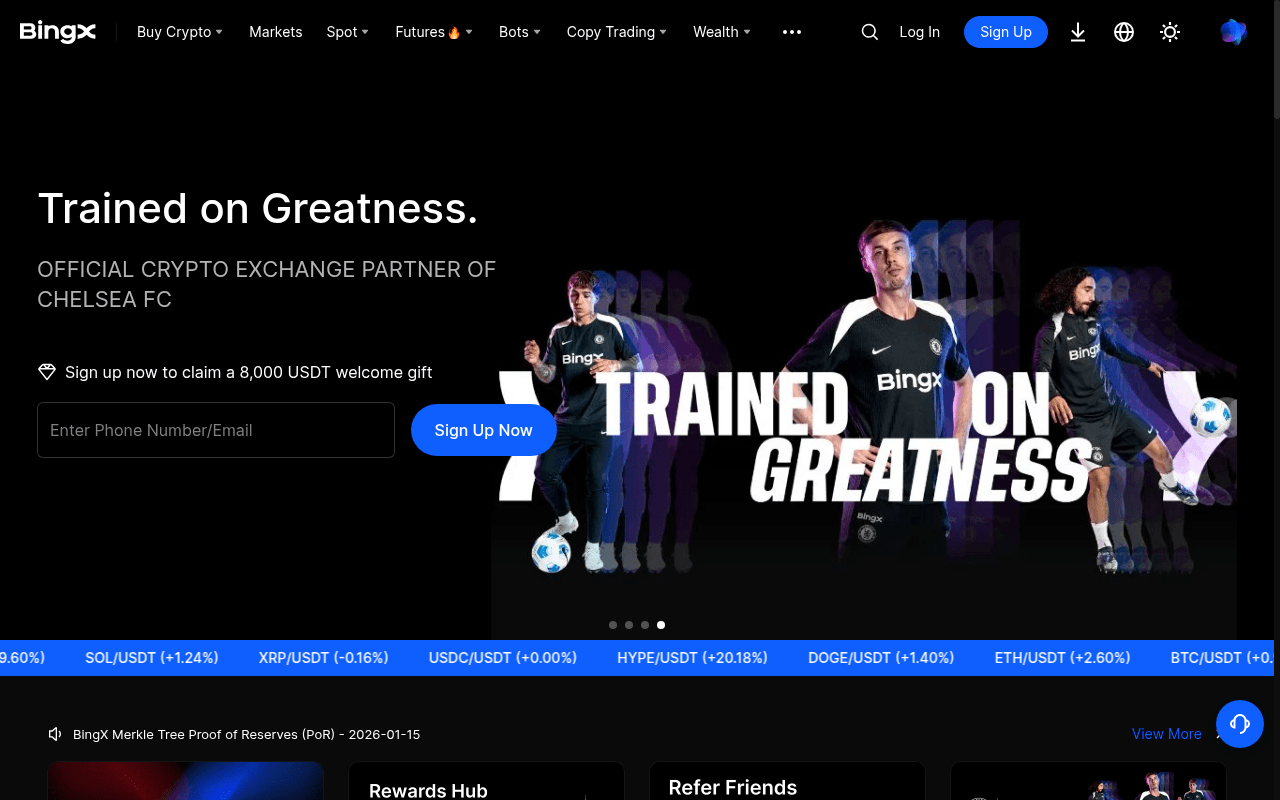
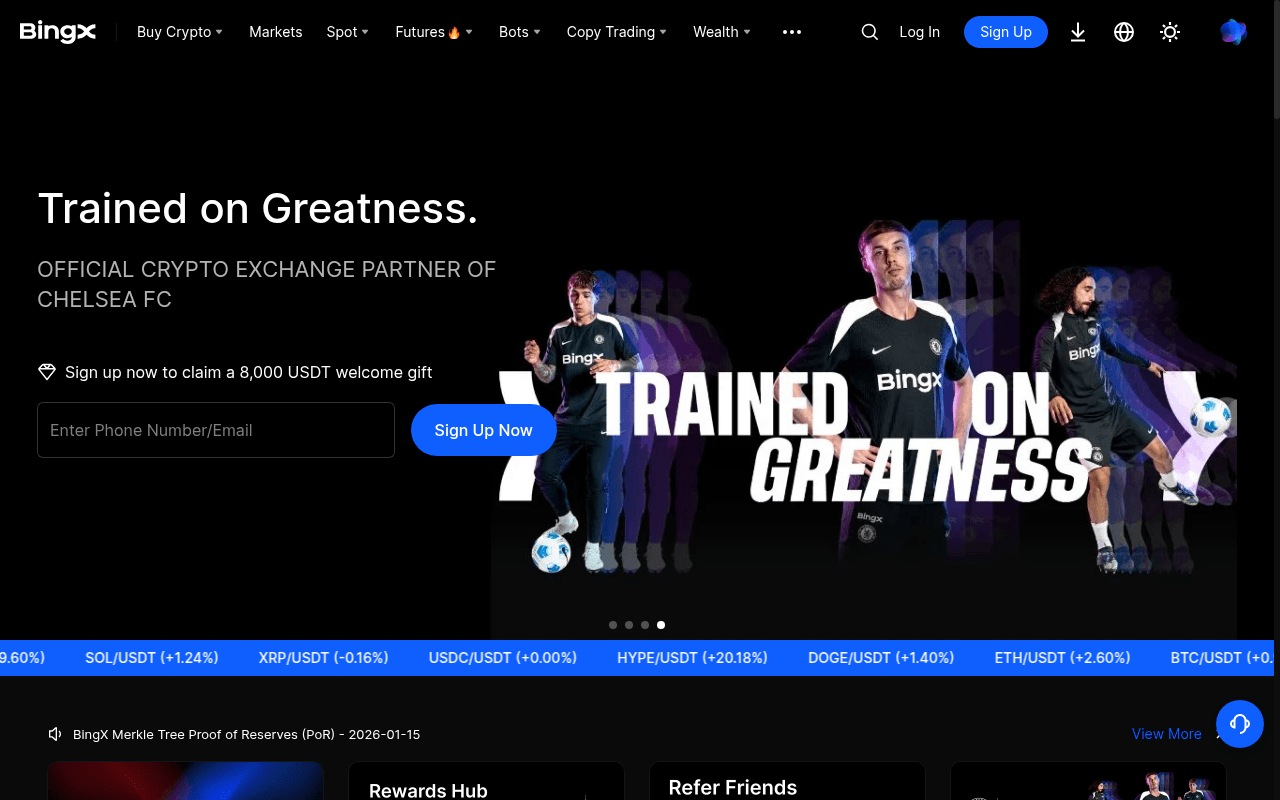
BingX homepage
Click to enlarge
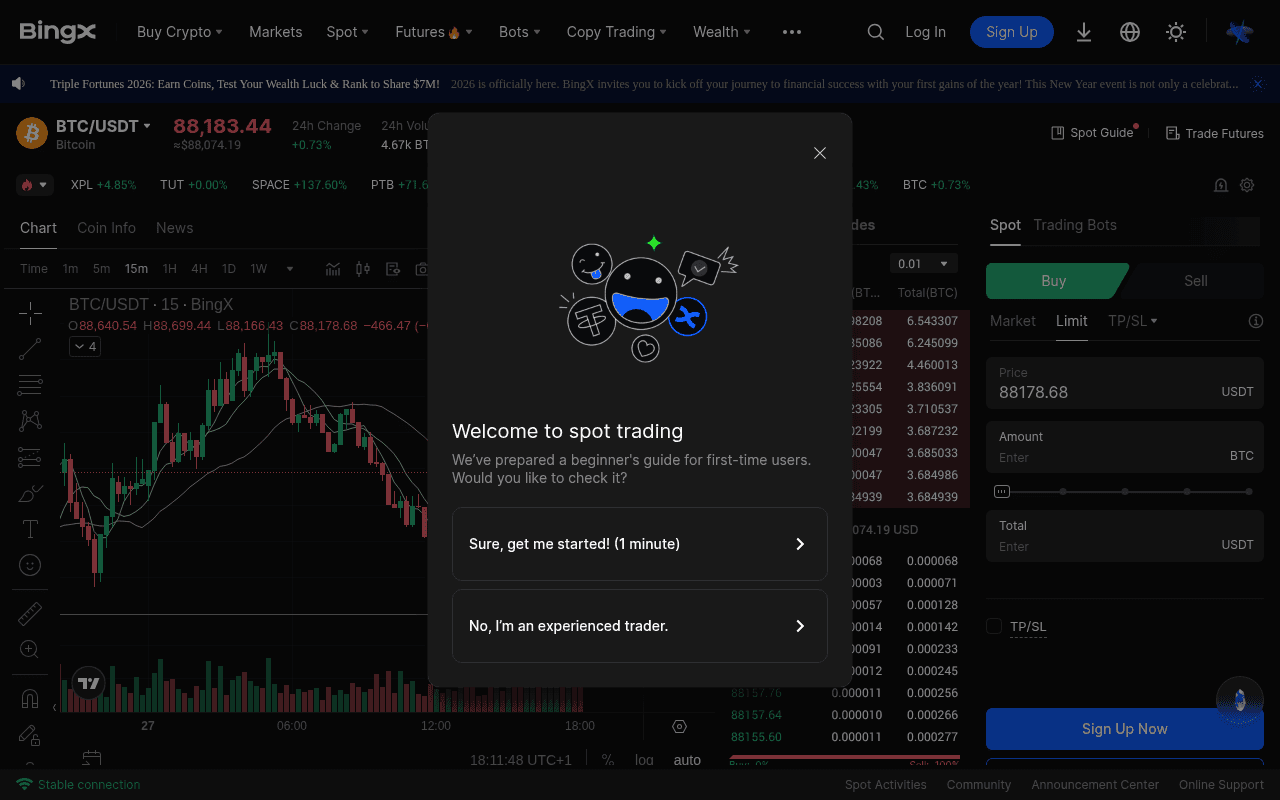
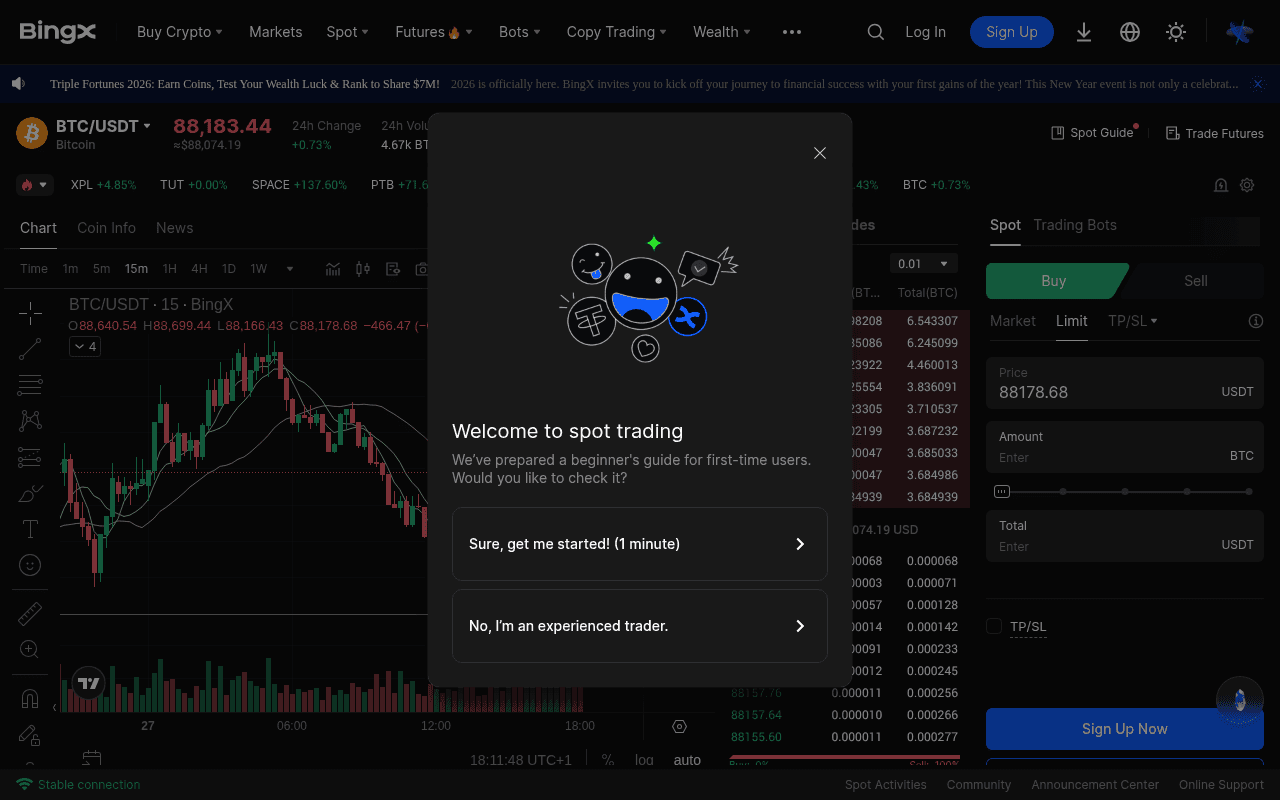
BingX trading interface
Click to enlarge
BingX markets overview
Click to enlarge
BingX fees structure
Click to enlarge
BingX copy trading
Click to enlarge
Frequently Asked Questions
BingX has operated since 2018 and states that it stores assets in cold storage. It holds AUSTRAC registration in Australia. Its stated $10 million protection fund has limits. BingX does not list FCA, SEC, or MiCA licensing. Check custody terms and local regulation before you deposit funds.
BingX lists 0.1% maker and taker fees for eligible spot orders and 0.02% maker and 0.05% taker fees for futures. VIP tiers, copy-trading profit sharing, and withdrawal fees can change. Network choice can affect both fees and transfer support. Check the current schedule and transaction details before you trade or withdraw.
BingX uses a tiered system. Without any KYC, you can trade but withdrawals cap at roughly 50,000 USDT daily. Level 1 KYC requires a government-issued ID (passport, national ID card, or driver license) plus a selfie. Level 1 approval on a weekday typically takes about 4 hours. Level 1 can increase withdrawal limits and add fiat purchase options. Level 2 adds proof of address (utility bill or bank statement from the last 3 months) for maximum limits. Complete Level 1 right after registration. Waiting until a withdrawal is needed creates problems, and the approval queue slows during weekends and Asian holidays. The process is straightforward if documents are clear and show all four corners.
Without KYC, daily withdrawal caps sit around 50,000 USDT. Level 1 KYC raises this substantially, and Level 2 can add limits that cover most retail traders. Standard crypto withdrawals process in 15-45 minutes under normal network conditions. ERC20 tokens during Ethereum congestion can take up to 2 hours. USDT via TRC20 typically averages around 20 minutes from submission to arrival in an external wallet. Larger withdrawals (over $50,000) triggered a manual security review that added 3-6 hours. If you need fast withdrawals, use TRC20 for USDT (1 USDT fee, fast confirmation) and avoid ERC20 unless you specifically need Ethereum-based tokens. Always complete KYC before you need to withdraw. Getting stuck at verification when you want your funds out is avoidable stress.
BingX is available in most countries but blocks several key regions. US users cannot access BingX at all, which is standard for offshore exchanges avoiding SEC complications. Canadian users face restrictions, with Ontario residents fully blocked. Singapore residents are restricted despite BingX being headquartered there. Countries under international sanctions (North Korea, Iran, Cuba, Syria, Crimea) are also blocked. BingX has its strongest user base in Southeast Asia, Latin America, and parts of Europe. If you are outside the restricted regions, registration is open with optional KYC. Check the BingX terms of service before signing up because restricted jurisdiction lists get updated periodically as regulations change across different countries.
BingX lets users filter listed traders by ROI, win rate, maximum drawdown, follower count, and AUM. Past results do not predict future returns. Check the trader's full history, drawdown, fees, and risk settings before you copy a trade. BingX lists stop-loss limits, daily investment caps, and maximum position sizes. It also lists profit-sharing terms for eligible traders. Review the current terms in the platform.
BingX offers live chat, email, and community channels. Its support materials state that complex email requests can take 24 to 48 hours. BingX supports customer service in more than 12 languages. For an urgent account or withdrawal issue, use the official in-app or website support channel. Do not share account credentials in community channels.
BingX provides mobile apps for iOS and Android. Its iOS listing shows a 4.5/5 rating from more than 15,000 reviews. The app includes trading, copy-trade controls, bot monitoring, alerts, and portfolio views. Test the app and security settings before you rely on it.
BingX offers a demo account called VST. It covers spot trading, futures, copy trading, and grid bots with virtual funds. A demo can help you learn the order controls and review drawdown data. It cannot reproduce all live trading conditions, including execution changes and platform risk. Check VST availability and terms in your account dashboard.
BingX lists cryptocurrencies and trading pairs that vary over time and by region. Asset availability does not establish liquidity or suitability. Check the current market list, order-book depth, and estimated execution price before you trade.
BingX and Bitget both list copy-trading tools, trader statistics, profit-sharing terms, and protection funds. Trader counts, fund amounts, execution, and product terms can change. Compare the current disclosures, full trader history, drawdown, fees, account protections, and eligibility before you copy a trade.
KYC is optional on BingX but strongly recommended. Without it, you can trade but daily withdrawals cap around 50,000 USDT. Level 1 requires a government ID (passport, national ID, or driver license) plus a selfie for facial verification. Approval commonly takes around 4 hours. Level 2 adds proof of address (utility bill or bank statement dated within 3 months) for the highest withdrawal limits. Processing varies from 1-24 hours depending on queue volume. Complete Level 1 right after registration. Waiting until you need to withdraw is a common mistake that creates unnecessary stress. The approval queue moves faster during Asian business hours since that is where the review team is based.
BingX offers a demo account and copy-trading tools. Copy trading does not remove market risk, and high leverage can liquidate a position after a small price move. New users should read the product terms, test the order controls with virtual funds, and understand the maximum loss before they trade.
BingX offers live chat through its website and mobile app. It also lists email, Telegram, and Discord channels. Response times can vary by issue. Use official support channels for withdrawal and security problems. Check current contact details before you rely on them.

Open BingX provider page
No deposit required to explore
BingX offer details
Check current terms, eligibility, and availability before you use an offer.
Compare BingX


BingX alternatives
Compare products in the same category and open each full review.
You Might Also Need


Related Exchanges

Related Guides
Crypto Copy Trading Platforms: Fees, Data, and Risk
Open the full guide and view its current editorial status.
Crypto Futures Exchanges: Fees, Margin, and Trading Risk
Open the full guide and view its current editorial status.
Cheapest Crypto Exchange: Compare the Full Cost
Open the full guide and view its current editorial status.
When to skip BingX
Skip BingX if you need protections that its current license or custody terms do not provide.
Sources & References
Market Data
User Reviews
Documentation
External links open in a new tab. We are not responsible for third-party content.
Risk Disclaimer
Cryptocurrency trading and investing involve a substantial risk of loss. Prices can change significantly in a short period, and you can lose some or all of your invested capital. This page gives information and does not give financial, investment, or legal advice. Check current provider terms and assess your risk before you make a financial decision. InsideCryptoReview can earn a commission from an affiliate link. A provider cannot approve or change our editorial copy. Past performance does not guarantee future results. Invest only an amount that you can afford to lose.